How we cut a GTA 6 roadblock into 16 seconds
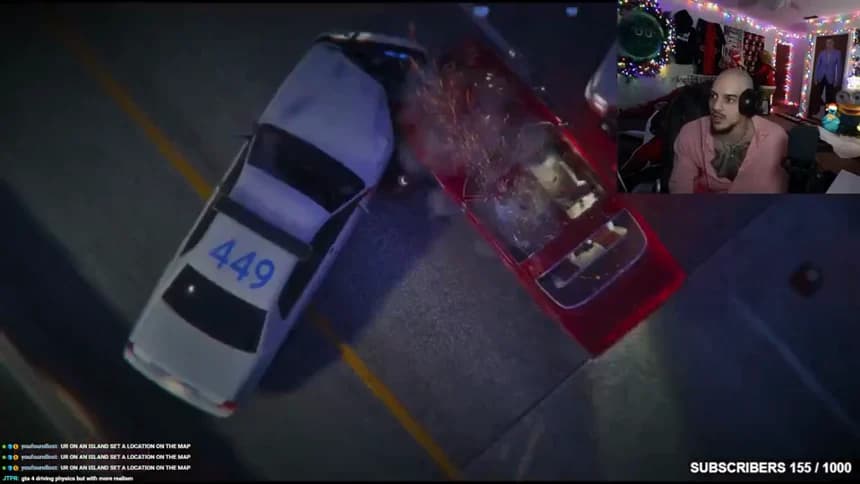
Dom says he’s going to take the highway. A few seconds later, two police cruisers block his lane. The cruisers are the biggest visual change, but opening on them gives away the ending. Here are three places to start the same edit and a way to decide between them.
| Start | What the viewer gets | What to listen for |
|---|---|---|
| 0:10 | An approach before the highway call | The intention behind the turn |
| 0:12.78 | The start of the spoken call | Whether the first word feels abrupt |
| 0:22.6 | The roadblock payoff | How much sense the reaction makes without the plan |
Make the first change with sound on
Open the highway edit, leave its out-point at 0:26 and move the in-point from 0:10 to 0:12.78. Listen to the change before adjusting the picture. The early version gives the car a beat to approach. At the later start, the viewer has to identify the car and hear the first words at the same time.
Now jump to 0:22.6. This is a good opening for a post about the sight of the roadblock. For a post about Dom’s decision, it leaves the question unanswered. We kept the 0:10 opening for the latter reason. The scan’s loud moment at about 1:41 on the three-minute source helped us locate the sequence. The surrounding dialogue determined the trim.
Frame the obstacle as well as the driver
Pause with the cruisers in view. On the source player, trace the lane from Dom’s car to both vehicles. Repeat on the portrait player. If one cruiser disappears at the edge, move the gameplay crop and replay the approach. The viewer needs to see why that route has closed.
The facecam holds a different piece of information: Dom’s reaction. Watch the finished cut on mute to check whether both parts survive, then listen again. Our captions switch from a short setup to Dom’s own words and end with “Roadblock.” Those lines do different jobs. Only the spoken lines are presented as quotes.
Keep the source clock with the export
The practice file starts 1:26.5 into riot4813’s three-minute source clip. Adding the local 0:10–0:26 selection gives 1:36.5–1:52.5 on that clip. A second editor can seek to that interval and recover the same lead-in. For any campaign use, check the original broadcast, the permitted destinations and the current organizer brief before posting.