Stream clip maker
Find highlights in a stream recording and cut them for TikTok, Reels or YouTube Shorts. Choose a stretch to scan, preview the suggested moments and download your vertical edit.
See your scan cost before you start. Have a recording? Upload your file.
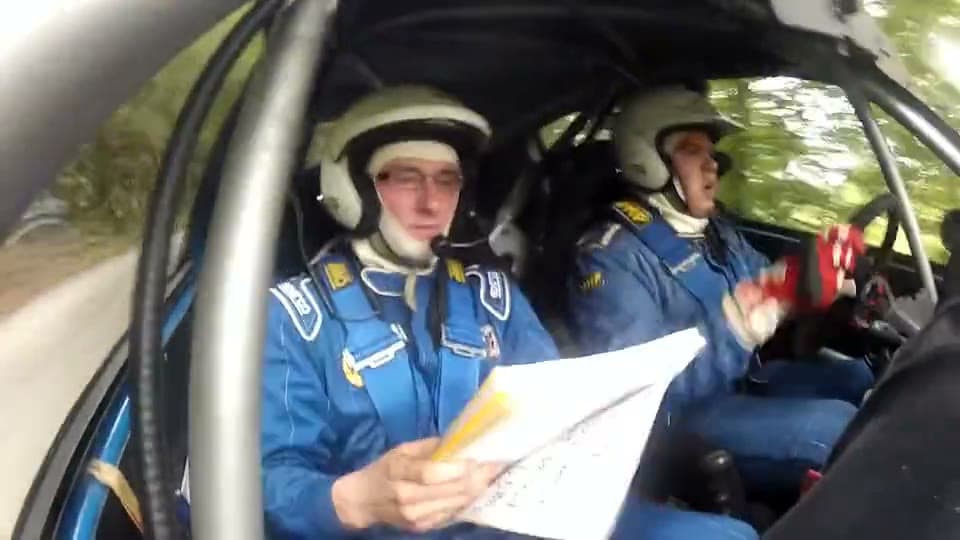
From the cockpit to a vertical cut
Play a 12-second rally highlight. Open the sample project to see exactly where it came from and why the scanner picked it.
Watch the rally cut Rally footage by Multimedijski Krožek. Source, license and editsWhere is your recording?
Which part of the stream should I scan?
Pick an event you can describe in one sentence. In a race, that might be a change of pace. In an interview, it might be the answer to a question. Start the range early enough to hear the setup and leave room for the first reaction. The studio quotes the selected source time before the scan starts.
The rally sample shows how to read the results. At 14 seconds, the scanner flags movement. At 44.5 seconds, it flags an audio peak. Replay each moment with its lead-in and decide which one tells a complete story. The percentile compares signals inside that recording. A quiet answer can still make a better clip than a loud cutaway.
Inspect the three sample highlights →Will my replay link work?
Use a public YouTube video, Twitch or KICK replay or clip, or a direct HTTPS video file you have permission to edit. The studio checks the link and prepares available footage. If a recording needs a login, upload an authorized copy as an MP4, MOV, WebM or MKV up to 2 GiB. Keep the original broadcast time in your notes if the file starts partway through the stream.
Browse recordings with source details →How do I finish the vertical cut?
Pause at the payoff and position the portrait crop around what the viewer needs to see. Play from the beginning on mute to check the framing, then listen for a word cut off at either end. Check the downloaded file on a phone before posting. The rally example includes its creator, source link, license and edit notes.
For a GTA 6 stream, try the KICK launch edit. The camera, facecam and subtitles share a single portrait frame. Compare a cut with its original, then check the brief if you plan to submit it to a campaign.
Open the GTA 6 clip maker →