Give the first line a job
Watch the first two seconds without sound. Write down what the picture already tells you. An opening line can name an unfamiliar person, establish a location or set up a question the clip answers. If viewers can identify the event on sight, leave the first frame clean and spend your words elsewhere.
Keep original dialogue and editorial text distinct
Use quotation marks only for words you can verify in the audio. Listen twice to names, slang and overlapping voices. In the editor, correct the affected timed line and preview the transition into the next cue. For a noisy passage you cannot transcribe, describe the visible action or choose a different passage.
Compare editorial text with the rally soundtrackBreak the phrase where someone would pause
Read each caption out loud. Keep the person and the action together when wrapping to a second line. Move the text away from faces, directional cues and important interface elements. Play at normal speed on a phone and check that the final word stays visible long enough to read before the next shot arrives.
Test the highway call against Dom’s audioCompare two openings on the same cut
Hold the trim, crop and caption position steady. Change only the opening line, then show each version to a fresh viewer. Ask what they expect to happen and what actually happened. Keep the version whose promise the clip fulfills. Log the rejected line so you can explain the choice later.
Practice cut
Introduce the gate scene
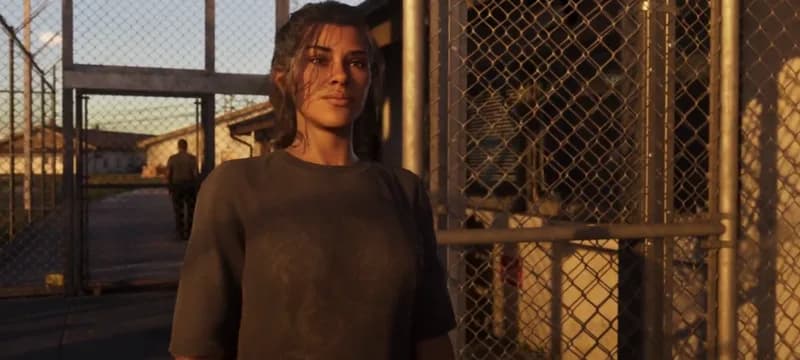
The sample opens with Jason at a gate and ends with Lucia facing him. Both example lines below are editorial text.
- Version A
- Try “Jason waits outside.” over the opening and check whether the first frame already tells you that.
- Version B
- Try “Who is Lucia meeting?” and play through the reverse shot that answers it.
- Clean frame
- Remove the opening text for a third pass. Choose the version that gives a new viewer enough context.
What to keep Two original opening lines, a clean comparison and a recorded choice.