Find the original recording
A Twitch VOD stores a broadcast. A shared clip points to a shorter selection. Start with the broadcast when you still need to find the moment. Record the channel, replay URL, date and running time. If you already have a short file, ask which broadcast and source interval it came from.
Locate Lacy’s 12-second clip in the original marathonSeparate a replay link from the editable file
Open the replay and check its channel and date. Paste the public Twitch VOD link into the studio, then choose the broadcast range around the event. A completed, supported Twitch or KICK VOD can be imported by range. If the media is unavailable, use an authorized export from the creator and save the permission or brief beside your source log.
Read the cut sheet from a measured range importKeep two clocks in your notes
Write the start of the excerpt on the original broadcast clock. Your local file starts again at zero. To find the original moment, add the elapsed time in the excerpt to its source start. A file beginning at 18.7 seconds puts its local 3.0-second frame at 21.7 seconds in the original. Include both numbers when you send a note to another editor.
Choose the section you will turn into a Short
Preview just beyond each end of the proposed range. Listen for the start of a sentence or the end of a reaction. Compare the range with any restrictions in the brief before scanning. For a YouTube Short, choose an allowed duration and shape, then keep the cut only as long as the event needs.
Practice cut
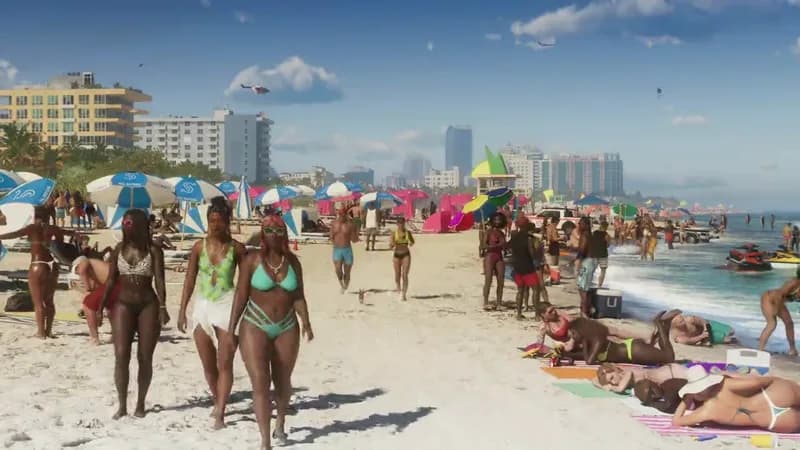
Locate the beach in the original trailer
The Leonida wilds excerpt starts at 00:18.7 in Trailer 1. Its player starts at 00:00.
- Source
- Write down Trailer 1 and 00:18.7 as the excerpt start.
- Local 00:03
- Pause on the beach. Add three seconds and log original time 00:21.7.
- Check
- Seek to 00:21.7 in the original, or compare with the same frame in the sample.
What to keep A source record another editor can use to find the beach without your project file.